If I had a dollar for every time a new client asked me which website builder they should use, I'd probably be retired on a beach in Queensland by now. When you're starting out, you get absolutely bombarded by ads for Wix, Squarespace, and Shopify, all promising that you can build a stunning website in an afternoon.
But how do they actually stack up when it comes to ease of use, hidden costs, and SEO? Let’s cut through the marketing fluff and look at the straight facts so you don't waste 40 hours building something you have to scrap in six months.
| Feature | Wix / Squarespace | Shopify | Custom / WordPress |
|---|---|---|---|
| Ease of Use | Very Easy | Moderate | Steep Curve |
| True Ownership | You Rent It | You Rent It | 100% Yours |
| SEO & Speed | Very Basic | Good | Unmatched |
| Scaling Costs | High | Very High | Lowest |

The right platform completely depends on what your business actually needs to do.
Wix and Squarespace (The "Renters")
Ease of Use: High. These platforms are true drag-and-drop builders. If you can use Microsoft Word, you can probably build a basic page on Squarespace. They handle the hosting and security for you.
The Hidden Costs: When you use Wix or Squarespace, you don't actually own your website. You are just renting space on their servers. If they decide to bump up their monthly subscription prices next year, you are forced to pay it because you cannot export your site and host it elsewhere.
SEO & Performance: This is where they fall flat. Because they load heavy visual builder code in the background, the sites are notoriously slow. They give you basic SEO tools, but they limit your ability to dive into the technical code, which makes it incredibly hard to outrank competitors on Google.
Shopify (The eCommerce Giant)
Ease of Use: Medium. Shopify is the undisputed king if you are selling physical products online. Managing inventory, taking payments, and calculating shipping is baked right in.
The Hidden Costs: Shopify gets expensive fast. The base monthly fee isn't terrible, but almost every useful feature (like product reviews, advanced shipping, or loyalty programs) requires you to install third-party apps that charge their own monthly subscriptions. It adds up very quickly.
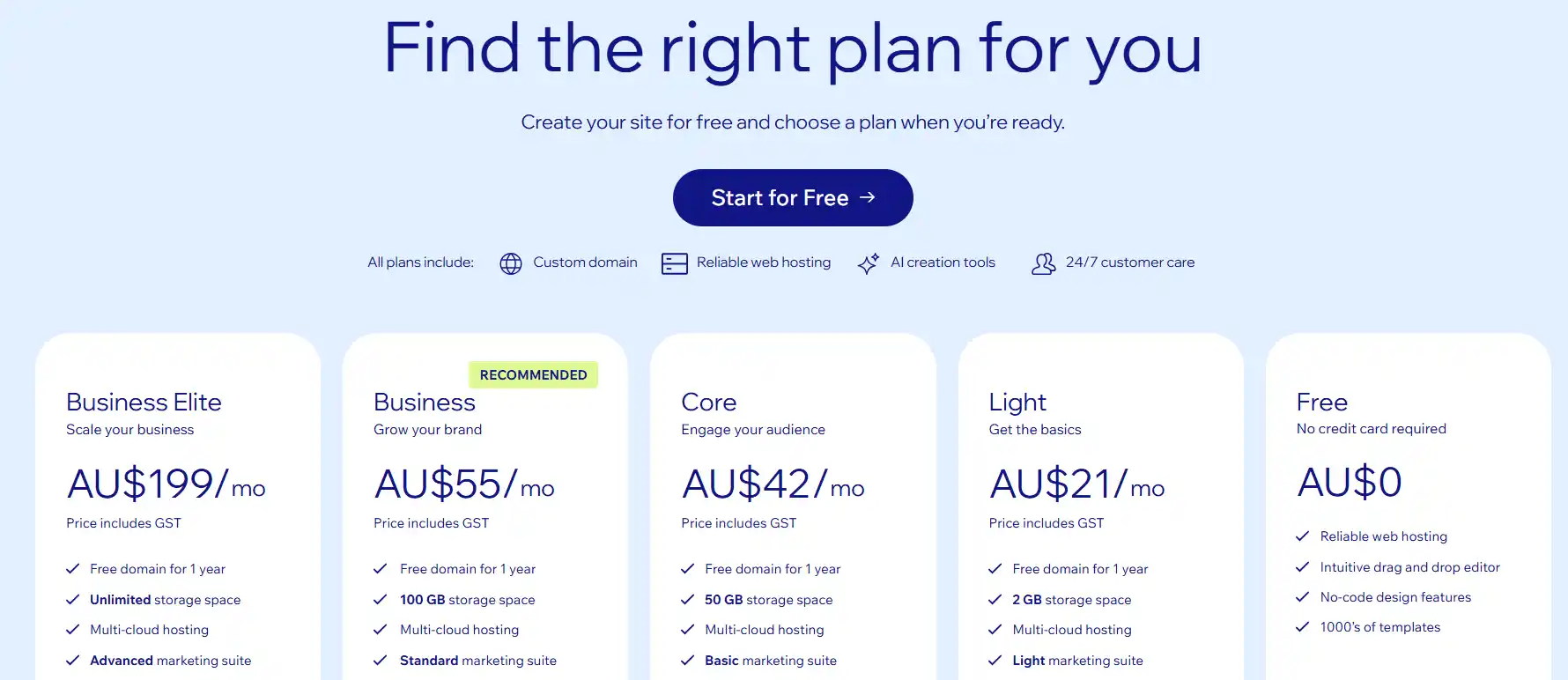
Those low entry prices usually skyrocket the second you need advanced features.
WordPress & Custom (The "Homeowner")
Ease of Use: Low to Medium. WordPress powers over 43% of the entire internet, but it has a steep learning curve. If you don't know what you're doing, it's very easy to break your site by updating the wrong plugin.
The Costs: WordPress itself is free and open-source. You only pay for your domain name and your web hosting. Because you completely own the code, you can move your site to any host in the world at any time.
SEO & Performance: Unmatched. Because you control the raw code and the server environment, you can optimize a custom-built site to load at lightning speed and completely dominate search rankings.
The Verdict: What Should You Do?
If you just need a cheap, digital business card and you don't care about ranking on Google, Squarespace will do the job. But if you want a website that actually functions as a 24/7 salesperson—one that loads fast, ranks highly, and handles complex sales—you need to step away from the DIY builders.
Your time is better spent running your business, not fighting with drag-and-drop menus. If you want it done right the first time, check out our eCommerce and Web Design services. We build custom, blazing-fast sites that you actually own from day one.